
Ultimate Guide to Schema Automation for AI Search Visibility
Master schema.org automation for Google AI Overview, ChatGPT, and Perplexity. Complete multi-engine monitoring, governance, and enterprise best practices. Book a demo.
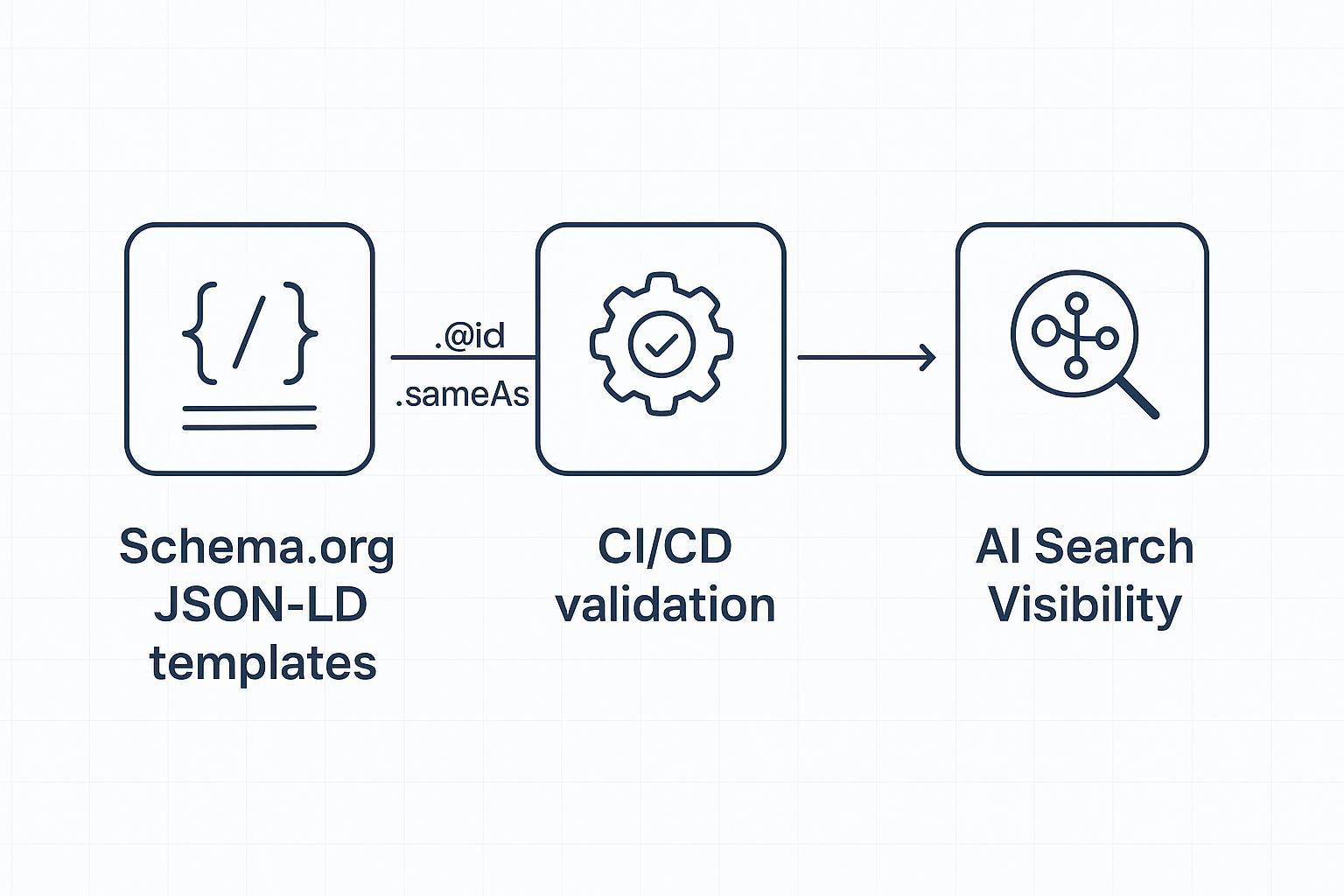
Why enterprise schema automation matters in AI search
AI engines summarize, cite, and recommend. Your content is more likely to be understood—and eligible for rich or AI features—when machines can confidently parse it. That’s the job of structured data: clear, machine-readable context through schema.org JSON-LD. But here’s the deal: Google is explicit that structured data must match the visible content, and while it’s a useful signal, it doesn’t guarantee inclusion or citation in AI Overviews. Google’s 2025 guidance in “AI Features and Your Website” and “Top ways to ensure your content performs well in Google’s AI search” underscores that point.
For large organizations, the challenge isn’t just “adding schema.” It’s designing templates, automating generation, validating at scale, and monitoring how changes correspond to visibility across engines like Google AI Overviews, ChatGPT (with browsing), and Perplexity. That requires governance, CI/CD integration, and a measurement plan.
What signals schema sends to AI engines
Google AI Overviews synthesize from many sources and show a diverse set of helpful links; structured data helps systems understand context and entities. The 2025 Search Central articles above emphasize accuracy, eligibility testing, and alignment with visible content.
ChatGPT’s browsing and search experiences surface web sources in answers when enabled; OpenAI’s product notes that browsing availability depends on tier and settings, and the search experience highlights linked sources. See OpenAI’s capabilities overview (2025).
Perplexity performs live retrieval and presents citations prominently for verification. Developer docs (2025) show search metadata available in responses; teams can analyze which URLs are cited. See Perplexity’s Chat Completions SDK guide.
Think of schema like a well-labeled diagram of your content: Organization identity, page types, breadcrumbs, and entities connected consistently. It reduces ambiguity and supports eligibility for features.
Core schema types to template at enterprise scale
Focus on a foundational set you can govern centrally and inherit across properties:
Organization: Enterprise identity—name, logo, URL, sameAs profiles. Implement primarily on homepage with a stable @id. See schema.org/Organization.
WebSite: Site-level entity; may include SearchAction; connect to Organization. See schema.org/WebSite.
WebPage and Article: Describe pages; Article is best for editorial content. See schema.org/WebPage and schema.org/Article.
BreadcrumbList: Encode navigation hierarchy with ListItem position, name, and URL. See schema.org/BreadcrumbList.
Template these types in your CMS/framework so they render as JSON-LD for every eligible page. Pull values from the same data sources used to render visible content to avoid drift.
Model your entity graph and keep it consistent
A consistent entity graph helps AI systems disambiguate your brand, products, and content:
Stable @id: Use unique, immutable identifiers (e.g., https://example.com/#org) and reuse across pages to form edges.
sameAs: Link to authoritative profiles (LinkedIn, Crunchbase, Wikipedia/Wikidata, verified social). This strengthens disambiguation.
Relationships: Connect entities via properties like mainEntityOfPage, about, mentions, brand/manufacturer, and category to reflect information architecture.
Authoritative references include schema.org types and practitioner explainers such as SchemaApp’s knowledge graph anatomy.
Automate schema in CI/CD: generation, validation, and monitoring
Enterprise schema automation thrives when treated like application code.
Programmatic generation
Render JSON-LD server-side (or reliably in templates/middleware) for core types. Avoid client-only injection for critical experiences in news/e-commerce where bots may miss late scripts.
Ensure values match visible content; pull from canonical data sources for titles, authors, breadcrumbs, product attributes.
Validation gates
Preflight URLs through Google’s Rich Results Test to check eligibility for supported features; use staging instances and block deploys on critical errors. See Google’s type pages, e.g., Event structured data.
Validate syntax and schema.org correctness with the Schema Markup Validator (broader than Google’s eligibility). See SchemaApp explainer and schema.org version page.
Post-release monitoring
Use Google Search Console (Enhancements, URL Inspection) and scheduled crawls to confirm markup presence and coverage.
Log diffs between template versions and observed markup; capture regression events and rollbacks.
Treat these steps as CI jobs with clear pass/fail criteria. Inject unit tests for required properties and data assertions for key fields.
Multi-engine visibility monitoring: what to track
To understand how schema changes influence AI visibility, monitor engines that surface citations/links:
Google AI Overviews: Track when your content appears among the “helpful links,” and the query contexts. The 2025 docs clarify that structured data is considered but not a guarantee; focus on content quality and alignment.
ChatGPT browsing/search: When enabled, answers include links to sources. Track which URLs appear for your brand queries and topics. See OpenAI’s capabilities overview.
Perplexity: Log citations shown in responses and, if using the API, capture search metadata fields to attribute mentions. See Perplexity’s SDK guide.
Correlate visibility changes with schema release events, content updates, and crawl/index cycles. Keep your analysis conservative: schema improves clarity and eligibility, but many ranking and selection factors remain outside markup.
Practical workflow example (Disclosure: Geneo is our product)
You can link schema change logs to cross-engine citation monitoring in a neutral, reproducible way.
Monitoring hub: Geneo — Geneo is our product — can be used to track brand visibility across Google AI Overviews, ChatGPT, and Perplexity, including link visibility and brand mentions. For conceptual grounding, see the internal explainer on AI visibility.
Workflow sketch:
Roll out schema template changes through CI with validation gates (RRT and SMV). Capture a release ID.
In your monitoring hub, tag visibility observations (citations/mentions/links) by release ID and query theme.
Compare pre/post windows (e.g., 14–28 days) to attribute directional shifts. Use parity alternatives if preferred—e.g., an in-house dashboard combining Google Search Console, periodic Perplexity UI/API captures, and ChatGPT browsing logs.
When anomalies arise (drop in citations after a deploy), trigger incident response: inspect diffs, rerun validators, check crawl status, and roll back or hotfix as needed.
For extended reading on platform coverage, you can review How to perform an AI visibility audit.
Measurement and reporting: KPIs and audit cadence
Define metrics that connect schema hygiene to visibility without over-attributing:
Eligibility coverage: Percentage of pages passing Rich Results Test for target types; error/warning counts.
Entity consistency: Rate of @id reuse across templates; sameAs completeness for core entities.
AI citations and link visibility: Count and share of your URLs cited in Google AI Overviews, ChatGPT browsing/search, and Perplexity, segmented by query class.
Search Console signals: Impressions and clicks for pages with validated structured data; enhancement report coverage.
Release attribution: Pre/post analysis windows tied to schema releases and content updates.
Governance area | Owner | Cadence |
|---|---|---|
Schema templates & @id standards | Technical SEO lead + platform engineering | Quarterly review; ad hoc on major site updates |
Validation gates (RRT/SMV/tests) | DevOps + QA | Every deploy; weekly audits |
Multi-engine visibility tracking | SEO analytics | Weekly monitoring; monthly reporting |
Incident response & rollback | Platform engineering | On anomaly; postmortem within 7 days |
For ongoing optimization of AI citations, see Optimize content for AI citations and for behavioral context AI Search User Behavior 2025. For deeper measurement frameworks, consider LLMO Metrics.
Governance checklist
Establish naming, @id, and sameAs standards; document them.
Enforce CI validation gates and block deploys on critical schema errors.
Track AI citations across engines; tag observations by release ID.
Schedule monthly audits and postmortems for anomalies; keep a runbook for rollback.
Common pitfalls and FAQs
“Will schema alone get us into AI Overviews?” No. Per Google’s 2025 guidance, it’s a helpful signal and supports eligibility, but content quality, relevance, and other systems decide inclusion.
“Client-side JSON-LD is fine, right?” It depends. If scripts render late or inconsistently, bots may miss them. Server-side or reliably rendered templates reduce risk.
“Do we need every schema type?” No. Start with a governed core set (Organization, WebSite, WebPage/Article, BreadcrumbList) and expand based on content and supported features.
“How do we know if markup matches visible content?” Pull values from the same sources used to render pages; add unit tests for key fields (e.g., headline, author, breadcrumb positions).
Next steps
If you want a structured, audit-friendly way to connect schema automation with multi-engine visibility, book a short demo. We’ll walk through governance templates, validation gates, and monitoring workflows tailored to your stack.
Book a demo: contact the team via Geneo.