
Schema Markup Best Practices 2026: JSON-LD, FAQ/HowTo, Audit
Practitioner playbook to increase AI Overview citations with entity-aligned JSON-LD, conservative FAQ/HowTo guidance, and a deployable 2026 audit checklist.
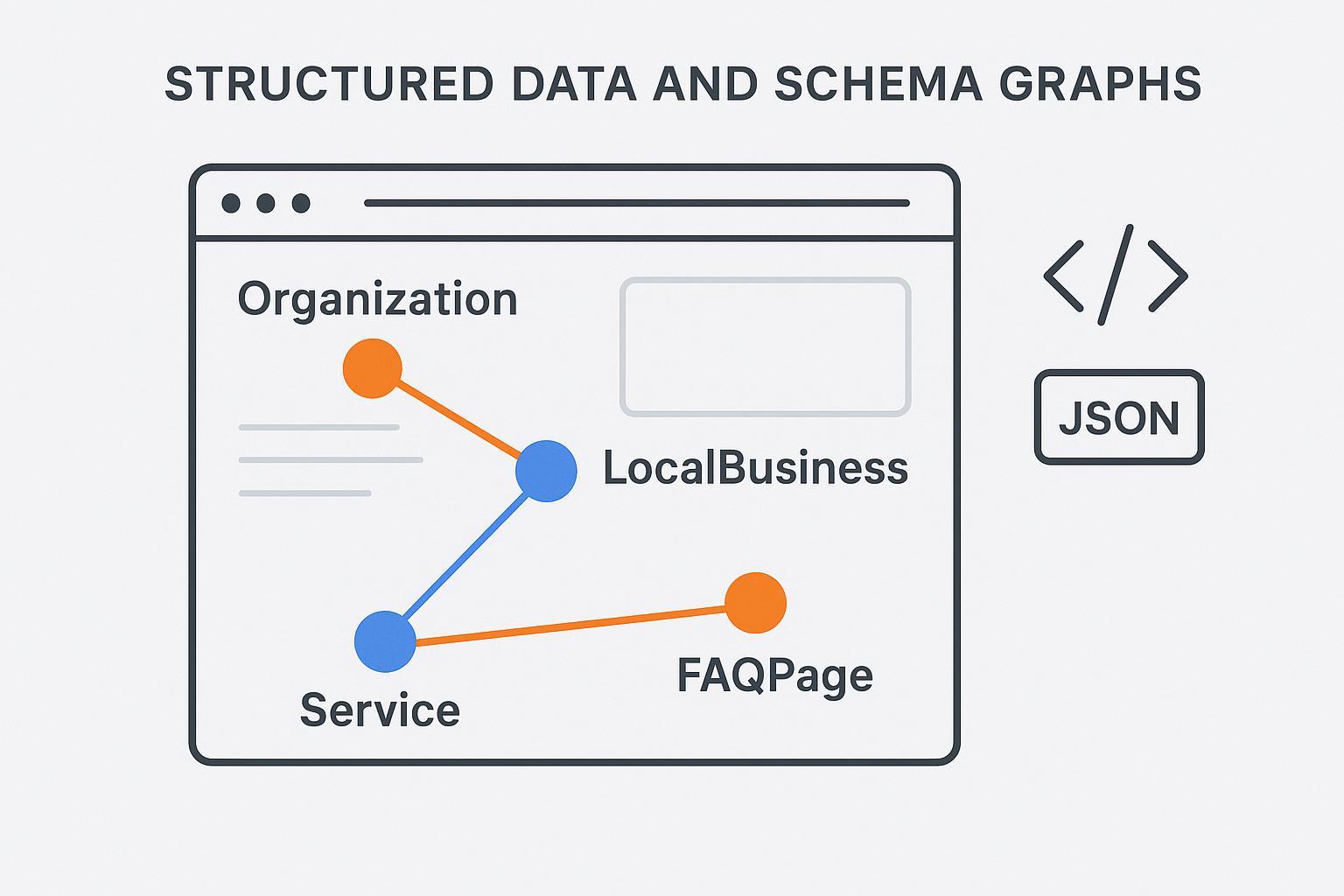
Executive brief: Your 2026 priority is to earn more AI Overview and answer‑engine citations by making entities unambiguous and intent explicit. Ship clean JSON‑LD, choose stable @id URIs, prevent plugin collisions, and validate what Google can parse. Treat FAQPage/HowTo conservatively (policy restrictions persist), and measure with citation frequency, AIO impressions, and CTR deltas—promote what works, roll back what doesn’t.
What entity‑first means for Schema Markup Best Practices 2026
Entity‑first schema treats your Organization, LocalBusiness locations, Services, and People as the canonical “who/what/where” of the site. Anchor each with a stable @id and stitch related entities with references and sameAs links to authoritative profiles. This improves machine understanding and keeps your graphs useful even as specific rich results change.
JSON‑LD remains the recommended format, and multiple scripts per page are fine when they describe different entities. According to Google, structured data helps systems understand content and qualify for rich results but isn’t a direct switch for AI Overview inclusion. For context, see Google’s Helpful Content for AI Search (2025) and Google’s pros and cons of structured data.
Search Console blends AI experiences with classic results. If the same URL appears in an AI Overview and a standard result, it’s counted once. This affects measurement, so design baselines and cohorts with care. See AI Mode data nuances in Search Console and Same‑URL counting behavior.
Paste‑ready JSON‑LD you can ship today
Organization: canonical @id and strong sameAs
Use one global Organization graph across the site and reference it from other entities (LocalBusiness, Service, Person). Keep the @id stable.
{
    "@context": "https://schema.org",
    "@type": "Organization",
    "@id": "https://example.com/#org",
    "name": "Example Professional Services",
    "url": "https://example.com/",
    "logo": "https://example.com/assets/logo.png",
    "sameAs": [
      "https://www.wikidata.org/wiki/Q123456",
      "https://en.wikipedia.org/wiki/Example_Professional_Services",
      "https://www.linkedin.com/company/example",
      "https://twitter.com/example"
    ],
    "contactPoint": [{
      "@type": "ContactPoint",
      "contactType": "sales",
      "telephone": "+1-555-0100",
      "email": "sales@example.com"
    }],
    "foundingDate": "2016-04-22"
  }
Developer notes: Prefer a fragment @id (e.g., https://example.com/#org) or a dedicated identity URL (https://example.com/id/org). Add sameAs to authoritative identity pages (official site, Wikidata/Wikipedia, major social profiles). References: Schema.org Organization and sameAs.
LocalBusiness + Service nesting
Represent location detail and attach a specific Service the location delivers. Reuse the Organization @id as parentOrganization.
{
    "@context": "https://schema.org",
    "@graph": [
      {
        "@type": "LocalBusiness",
        "@id": "https://example.com/locations/denver/#lb",
        "name": "Example Consulting — Denver",
        "image": "https://example.com/images/denver-office.jpg",
        "url": "https://example.com/locations/denver/",
        "address": {
          "@type": "PostalAddress",
          "streetAddress": "123 Market St",
          "addressLocality": "Denver",
          "addressRegion": "CO",
          "postalCode": "80202",
          "addressCountry": "US"
        },
        "geo": {"@type": "GeoCoordinates", "latitude": 39.7486, "longitude": -104.9967},
        "priceRange": "$$$",
        "parentOrganization": {"@id": "https://example.com/#org"}
      },
      {
        "@type": "Service",
        "@id": "https://example.com/services/forensic-accounting/#service",
        "serviceType": "Forensic Accounting",
        "provider": {"@id": "https://example.com/locations/denver/#lb"},
        "areaServed": {"@type": "AdministrativeArea", "name": "Colorado"},
        "audience": {"@type": "BusinessAudience", "audienceType": "SMB"}
      }
    ]
  }
Developer notes: Use @graph to group tied entities in one script. Ensure the LocalBusiness page visibly contains the same address, phone, and service copy as the JSON‑LD.
Author/E‑E‑A‑T hygiene quick wins
Add author and reviewed‑by details in visible content; reflect in Person or CreativeWork where appropriate. Keep dates accurate (datePublished/dateModified) and link author profiles to authoritative external pages via sameAs when sensible.
FAQPage/HowTo in 2026: cautious, test‑only usage
Policy snapshot: Since August 2023, FAQ rich results have been limited mostly to well‑known government and health sites; most others won’t see FAQ enhancements. In 2025, Google simplified results and effectively deprecated HowTo rich results for planning. See Google’s FAQ/HowTo changes (2023) and Simplifying results (2025).
Eligibility heuristics: Consider FAQPage only if the page has strong editorial trust, Q/A pairs are fully visible, and content is stable and reviewed. Never deploy solely to chase rich results.
Conservative FAQPage template (eligible sites only)
{
    "@context": "https://schema.org",
    "@type": "FAQPage",
    "mainEntity": [
      {
        "@type": "Question",
        "name": "How do you scope a forensic accounting engagement?",
        "acceptedAnswer": {
          "@type": "Answer",
          "text": "An engagement starts with ... (must match visible on-page content)."
        }
      }
    ]
  }
Operator notes: Make Question.name match on‑page Q text exactly; keep answers identical to visible copy. Maintain editorial logs.
@id, sameAs, and deduplication rules that actually work
One canonical @id per primary entity per site. Centralize schema ownership to a single source of truth; avoid multiple plugins/apps emitting overlapping Organization or LocalBusiness graphs. Validate rendered HTML (not just snippets). After any CMS/plugin update, crawl key templates and compare entity counts and @id strings to pre‑update baselines. See Yoast’s structured data overview for an interconnected graph approach.
Collision checklist: Inventory emitters (theme, SEO plugin, commerce app, custom components), disable duplicates, standardize @id patterns, and prohibit random per‑page IDs for the same entity.
Validation & QA workflow (step‑by‑step)
Pre‑deploy (staging): Lint JSON (JSONLint), validate coverage with Schema Markup Validator, and check Google eligibility/previews with the Rich Results Test. Sample one URL per template and one edge‑case page.
Deploy (limited cohort): Release to a subset of URLs. Use URL Inspection to verify Google can fetch and understand the markup. Submit updated sitemaps to encourage recrawl.
Post‑deploy (monitoring): Weekly, check Search Console for enhancements and errors; crawl with Screaming Frog SEO Spider using structured data extraction to spot regressions and rich‑result issues. For AI experience metrics context, see AI Mode data nuances.
CMS implementation notes
WordPress: Prefer one capable SEO/schema plugin that outputs an interconnected graph; disable overlapping schema in themes or other plugins. Confirm which layer owns Organization and LocalBusiness; document @id strings.
Shopify: Avoid stacking SEO apps that inject partial graphs. Centralize in theme where possible. For productized services, ensure the right types (Product/Offer vs Service) match visible content.
Static/Jamstack: Commit JSON‑LD in source; reuse constants for @id and sameAs. Validate prerendered output.
Audit & measurement appendix (agency‑ready)
Pre‑deploy mapping
Map each template to a primary entity type and assign canonical @id with sameAs targets.
Inventory schema emitters and disable duplicates.
Ensure on‑page content matches JSON‑LD fields. Prepare a rollback plan.
Post‑deploy monitoring and decisions
Baseline: 4–6 weeks of historical Search Console data (impressions, clicks, CTR). AI experiences are blended.
Test: Roll out to a cohort (A/B or geo‑split) for 6–12 weeks.
Promote if AI citation frequency increases and CTR stays stable (e.g., ≥ −2% delta) with no error growth.
Roll back if CTR decreases materially (e.g., >10% over 4 weeks) without gains in AI visibility.
Disclosure: The following product is referenced as an example only; no paid endorsement.
Neutral micro‑example: Using public query report patterns from Geneo, an agency can track whether a target URL is cited inside AI‑generated answers for a set of prompts. Export weekly citation counts and pair them with AIO impressions and CTR from Search Console to decide whether to promote or roll back schema changes. See Geneo’s blog and a sample Geneo query report pattern. For ongoing visibility tracking, review Geneo Docs.
Troubleshooting and rollback playbook
Common failure modes: Duplicate Organization graphs from two plugins, site‑wide FAQPage on ineligible pages, or JavaScript emitting schema too late for reliable rendering.
Quick fixes: Disable one emitter to keep a single source of truth; limit FAQPage to high‑E‑E‑A‑T pages with visible Q/A and editorial review; server‑render JSON‑LD or hydrate before Google’s rendering timeout and verify with the Rich Results Test.
When to revert: If structured data errors surge or CTR drops >10% for 4 consecutive weeks without increased AI citation frequency, roll back to the prior stable snippet and re‑evaluate mapping and @id consistency.
Next steps: Implement the Organization and LocalBusiness+Service snippets, document @id ownership, and run the validation workflow. Stage a cohort test, then monitor AI citation frequency, AIO impressions, and CTR weekly. If the signals trend up and errors stay flat, scale site‑wide.