
Schema for AI Citations: How-to Guide for Practitioners
Practical how-to guide for Schema for AI citations: JSON-LD templates, CMS/CI deployment, validation, and a measurement plan to increase brand attribution in AI answers.
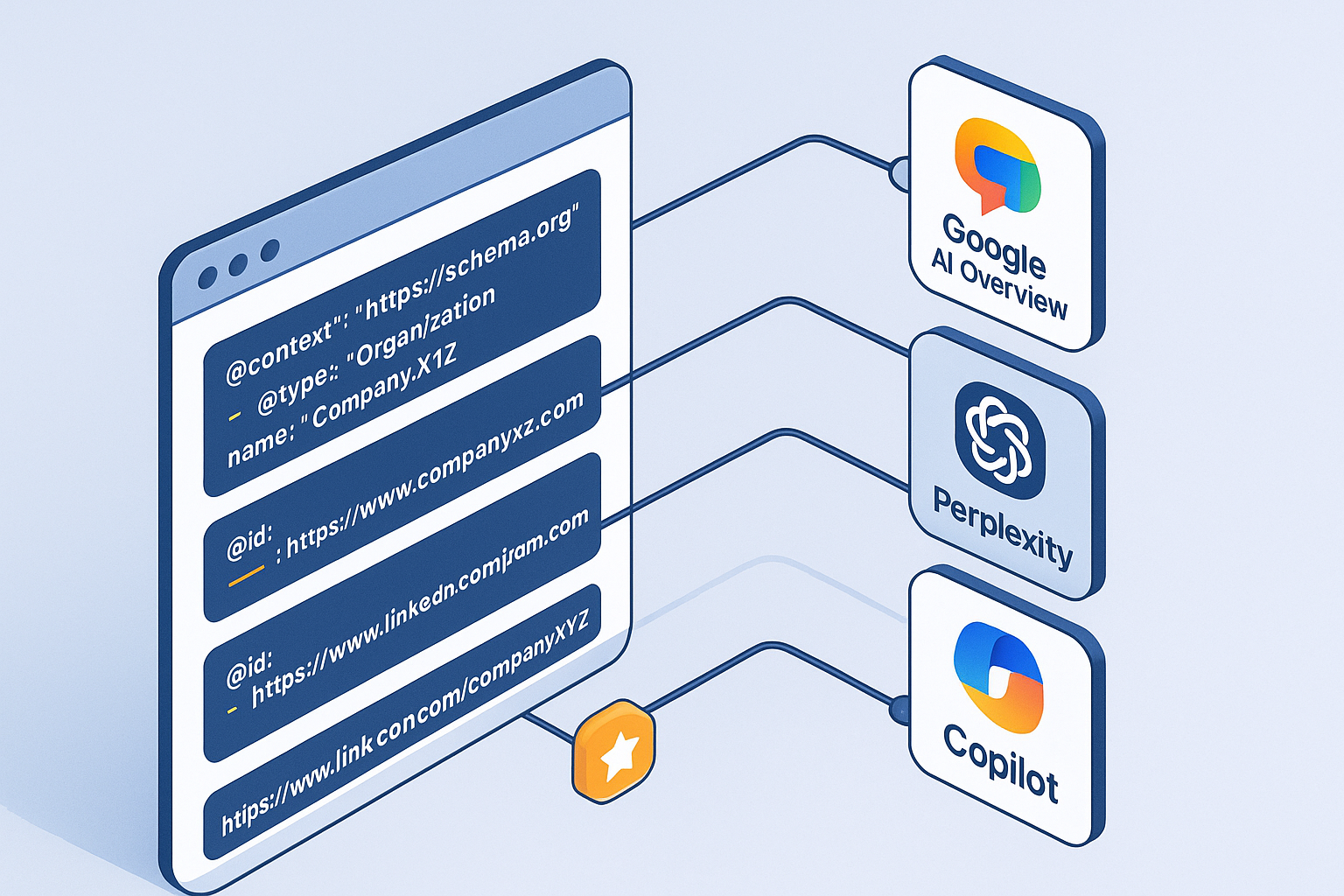
AI answer engines surface sources differently from classic blue links. While structured data doesn’t guarantee inclusion, a clean entity graph and consistent schema improve machine readability, extractability, and correct attribution. This guide shows how to implement Schema for AI citations end‑to‑end, and how to measure whether your brand gets credited more often in Google AI Overview, Perplexity, and Copilot.
According to Google’s guidance, eligibility for AI features relies on crawlability, indexability, and helpful content; there’s no special schema beyond standard best practices. See Google’s overview in “AI features and your website” and performance notes in the Search Central blog. For details, review the official guidance in the AI features and your website page and the 2025 Search Central post Top ways to ensure your content performs well in Google’s AI Search.
Measure first: a brand‑term + question baseline
Before touching code, define how you’ll quantify success. We recommend a baseline measurement of branded Q&A queries over 2–4 weeks:
Build a list of 50–200 queries that matter (e.g., “How does [Brand] handle refunds?”, “[Brand] vs [Competitor] reliability?”). Keep syntax consistent.
Query Google (AI Overviews/AI Mode) and Perplexity manually or programmatically. For each query, record whether your brand’s URL appears among the cited sources or your brand name is attributed.
Compute a citation rate: percentage of queries with brand attribution. Track link visibility (brand URL present in sources) and note sample size/timeframe.
Independent analyses suggest extractable, structured content correlates with citations in AI Overviews, though effects vary by scenario; see Onely’s context articles how to rank in AI search results and how to boost AI search visibility.
Disclosure: Geneo is our product. As a neutral example, you can log pre/post citation rates in an AI visibility platform. Geneo’s platform overview explains AEO/GEO monitoring. For a workflow‑level reference, see Geneo’s Schema Markup Integration Guide and an AI visibility report example. Use any tool or spreadsheet you prefer—the key is to measure consistently and transparently.
The essential schema set for AI citations
Your goal is to make it trivial for machines to understand “who said what,” “who published it,” and “how it relates to your brand.” Start with this core set, then expand as needed.
Organization with a persistent @id
{
    "@context": "https://schema.org",
    "@id": "https://example.com/#org",
    "@type": "Organization",
    "name": "Example Corp",
    "url": "https://example.com",
    "logo": {
      "@type": "ImageObject",
      "url": "https://example.com/logo.png"
    },
    "sameAs": [
      "https://www.wikidata.org/wiki/Q12345",
      "https://en.wikipedia.org/wiki/Example_Corp"
    ]
  }
Use @id to create a stable node for your organization and reuse it across pages. Link authoritative profiles via sameAs to aid disambiguation; see schema.org/Organization and schema.org/sameAs.
Person (author) with a persistent @id
{
    "@context": "https://schema.org",
    "@id": "https://example.com/#author-jane",
    "@type": "Person",
    "name": "Jane Doe",
    "knowsAbout": ["Schema markup", "AEO", "GEO"],
    "sameAs": [
      "https://www.wikidata.org/wiki/Q98765"
    ]
  }
Define authors with stable @ids and align visible bylines with credentials. Keep IDs consistent sitewide to signal the same entity everywhere.
Article with nested Person and Organization via @id
{
    "@context": "https://schema.org",
    "@type": "Article",
    "headline": "Schema for AI citations: a practical guide",
    "image": "https://example.com/cover.avif",
    "datePublished": "2026-01-07",
    "dateModified": "2026-01-07",
    "author": {"@id": "https://example.com/#author-jane"},
    "publisher": {"@id": "https://example.com/#org"},
    "mainEntityOfPage": "https://example.com/blog/schema-ai-citations"
  }
Include author and publisher using reusable @ids. Validate with Google’s tools and Schema.org’s validator; see the Search Central index for structured data appearance topics and the Schema Markup Validator.
FAQ schema for AI answers (use FAQPage for true multi‑Q&A content)
{
    "@context": "https://schema.org",
    "@type": "FAQPage",
    "mainEntity": [{
      "@type": "Question",
      "name": "Does Example Corp support Schema.org JSON-LD?",
      "acceptedAnswer": {"@type": "Answer", "text": "Yes, JSON-LD is the recommended format and is supported across our docs."}
    }]
  }
Use FAQPage only when the page visibly contains multiple Q&A pairs. Validate with Google’s FAQPage guidelines. Avoid thin or mismatched content.
For more templates and extended examples, see the Schema Markup Integration Guide.
Entity alignment patterns that matter
Think of your site as a small knowledge graph. The mechanics that tend to help AI engines attribute correctly include:
Reuse persistent
@ids for Organization and authors across all pages.Add authoritative
sameAslinks (Wikidata, Wikipedia, official social/company profiles) to reduce ambiguity.Align visible bylines and on‑page publisher information with JSON‑LD data.
Use
mainEntityOfPageon Article/BlogPosting to clarify canonical context.Keep your graph consistent across canonical pages and language variants.
Google emphasizes that structured data should match visible content and helpful page quality; see the Search Central AI Search guidance and the core update and spam policies.
Implementation patterns: CMS and CI
Different stacks need different tactics. Here are pragmatic approaches you can deploy quickly.
WordPress (theme or child theme)
Add JSON‑LD via a theme function. Example minimal PHP snippet to inject Organization + Article data:
function add_jsonld_to_head() {
    $jsonld = [
      "@context" => "https://schema.org",
      "@type" => "Article",
      "headline" => get_the_title(),
      "author" => ["@id" => "https://example.com/#author-jane"],
      "publisher" => ["@id" => "https://example.com/#org"],
      "mainEntityOfPage" => get_permalink()
    ];
    echo '<script type="application/ld+json">' . wp_json_encode($jsonld) . '</script>';
  }
  add_action('wp_head', 'add_jsonld_to_head');
Validate pages with Google’s tools and fix errors before scaling.
Headless (build‑time injection)
Inject JSON‑LD during static build (Next.js/Gatsby) to ensure consistency and reduce runtime errors.
// example in Next.js _document.js
  import Document, { Html, Head, Main, NextScript } from 'next/document';

  export default class MyDocument extends Document {
    render() {
      const jsonld = {
        "@context": "https://schema.org",
        "@type": "Article",
        "headline": "Schema for AI citations: a practical guide",
        "author": {"@id": "https://example.com/#author-jane"},
        "publisher": {"@id": "https://example.com/#org"},
        "mainEntityOfPage": "https://example.com/blog/schema-ai-citations"
      };
      return (
        <Html>
          <Head>
            <script type="application/ld+json" dangerouslySetInnerHTML={{ __html: JSON.stringify(jsonld) }} />
          </Head>
          <body>
            <Main />
            <NextScript />
          </body>
        </Html>
      );
    }
  }
CI validation (ajv or similar)
Add a CI job that lints JSON‑LD blocks for required properties to avoid regressions.
// pseudo‑ajv validation
  const Ajv = require('ajv');
  const ajv = new Ajv();
  const schema = {
    type: 'object',
    required: ['@context', '@type', 'headline', 'author', 'publisher'],
    properties: {
      '@type': { const: 'Article' },
      'author': { type: 'object' },
      'publisher': { type: 'object' }
    }
  };

  function validateJsonLd(obj) {
    const validate = ajv.compile(schema);
    return validate(obj);
  }
At launch, crawl target sections with Screaming Frog and audit JSON‑LD output; see the Structured Data user guide and Custom Extraction guide.
Audit and rollout checklist
Use this copy‑paste list to keep the rollout tight:
Pre‑launch: choose target pages; implement Organization/Person
@ids; inject Article/FAQPage where appropriate; validate with Rich Results Test and Schema Markup Validator.Launch: crawl with Screaming Frog (JSON‑LD extraction); fix validation errors; ensure Googlebot access; submit updated sitemaps.
Post‑launch (30/60/90 days): re‑run branded Q queries; track citation rate and link visibility; monitor schema error rate; maintain
sameAslinks and author profiles.
For governance context across touchpoints, see Geneo’s buyer journey mapping guide with tagging workflows.
Monitoring and measurement
You’ll want a repeatable workflow to connect citations to outcomes.
GA4/BigQuery concept: tag pages targeted for AI citations, then track sessions and conversions for those pages over baseline and post windows. Consider a simple query grouping sessions by cited page list.
Dashboards: include citation rate, link visibility, sessions to cited pages, and schema error counts.
Tools: use Google Search Console’s Performance report for impressions/clicks on pages that appear in AI features, and run periodic Perplexity checks. Google notes that AI features metrics appear under Web search; see AI features and your website.
Troubleshooting appendix: common errors → fixes
Mismatched structured data vs visible content → align bylines, publisher names, and Q&A text on-page.
Missing required properties (e.g.,
headline,author) → add fields and revalidate.Duplicated or changing
@ids → standardize and reuse persistent IDs sitewide.Over‑tagging (schema types that don’t match page content) → remove or adjust to reflect reality.
Stale
sameAsprofiles → audit quarterly; keep authoritative references current.
Tools and resources
Google Search Central: AI features and your website, core update and spam policies.
Schema.org: Organization, sameAs, Schema Markup Validator.
Screaming Frog: Structured Data guide, Custom Extraction guide.
Merkle/TechnicalSEO: FAQPage generator.
Perplexity docs: How Perplexity works (citations).
Microsoft docs: Bing grounding tools.
Closing next steps
Start with a 2–4 week baseline, implement the core schema set with persistent @ids, and validate in CI before scaling. Want a neutral way to track pre/post AI citations? Explore Geneo’s monitoring workflows.